
So if you’re on Instagram, maybe you’ve already figured this one out. But did you know that you can delete a comment and start over if you misspelled a word, or autocorrect totally botched what you meant to say? Even get rid of those spammy comments that show up sometimes–like “come get lots of followers here” 🙂

I have the Android version, so I don’t know if works the same way for iPhones, but here you go.
Tap the speech bubble.
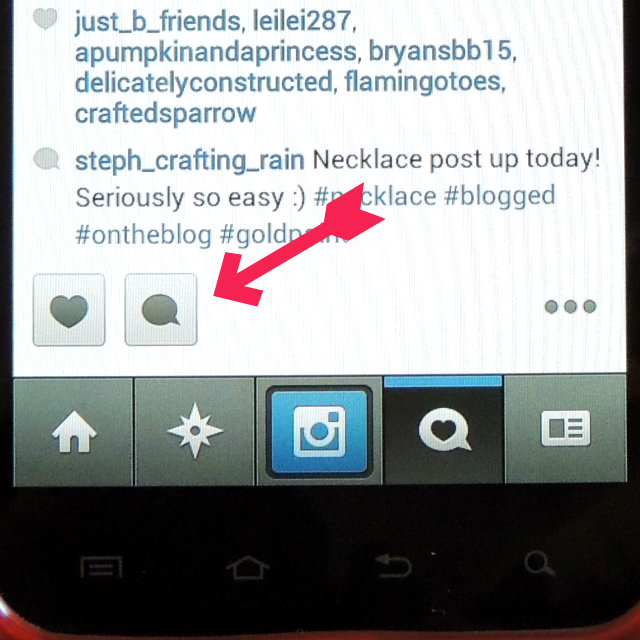
The box pops up where you can leave a comment, but there’s also a pencil icon on the top right.
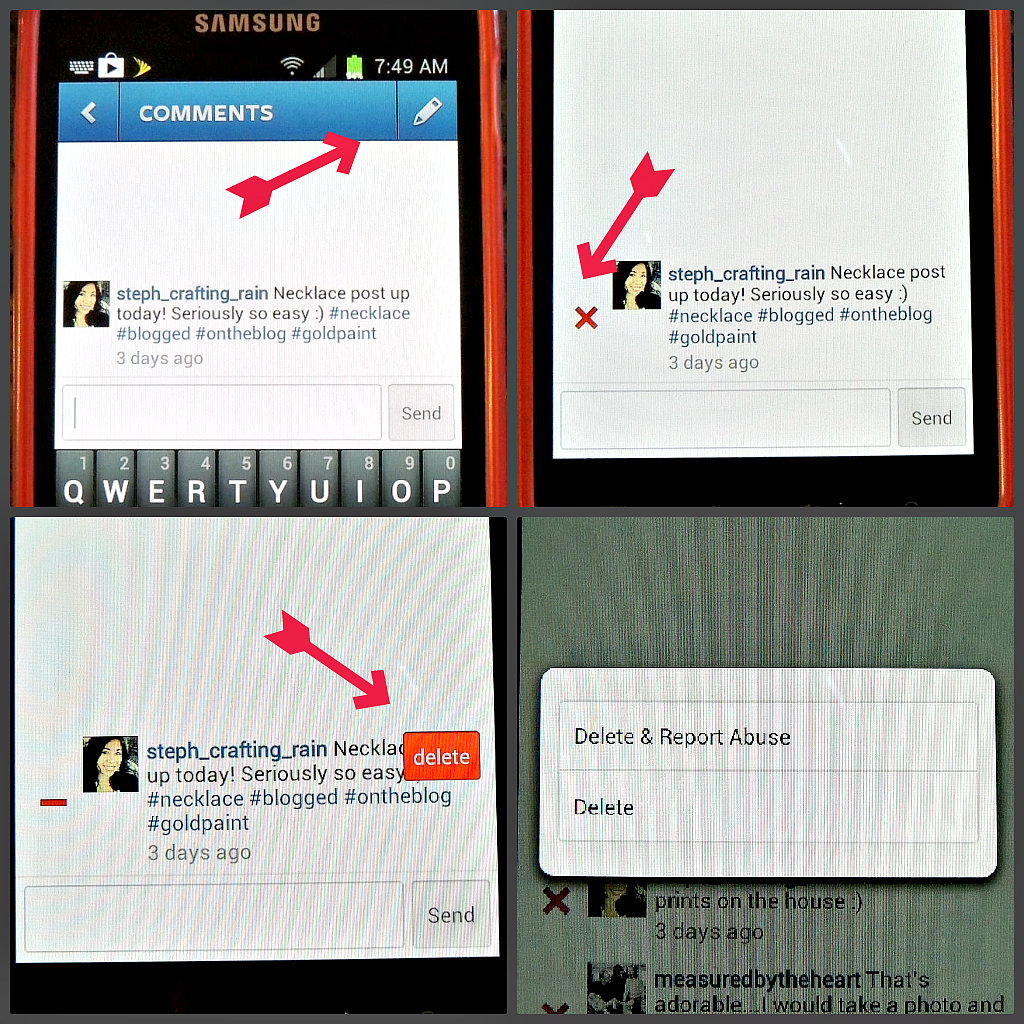
Hit that and you’ll see a little red x next to all the comments. Click that and you’ll get an option to delete your own comment, or if it’s a comment by someone else it will say “delete and report abuse” or just “delete.” So now you can erase your comment and re-enter it.
If this post helps just one person today, I have done my job 🙂
And I want to say congrats to all the winners for the giveaways we’ve had here over the last couple of weeks.
Joy won the 2-years Blogging prizes
Gemia won the notebook from QuadraFire
Sandra won the current Cutting Edge Magazine
Thanks everyone for entering!!